






Flat Rem Calibration Response
This issue was resolved in Avant Software version 3.4 and Studio 1.3, please verify your current version and update prior to troubleshooting.
The Flat REM calibration response is due to the sound properties in Windows being incorrect.
To resolve this you will need to navigate to File -> Advance Options in the main Avant REM screen or General Settings -> Hardware in Studio
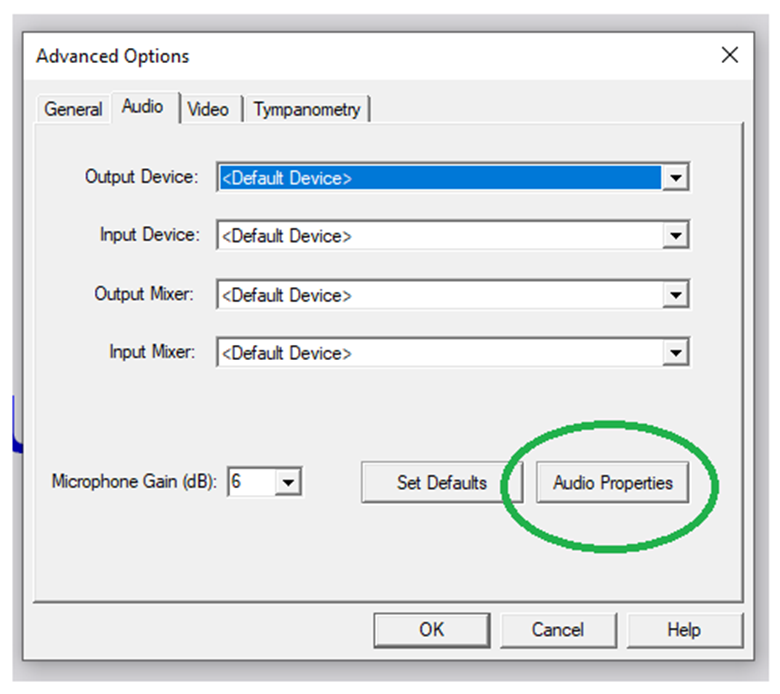
Select to Audio Tab and Audio Properties
Once in the windows sound card properties, Right Click the MedRx Recording Devices.
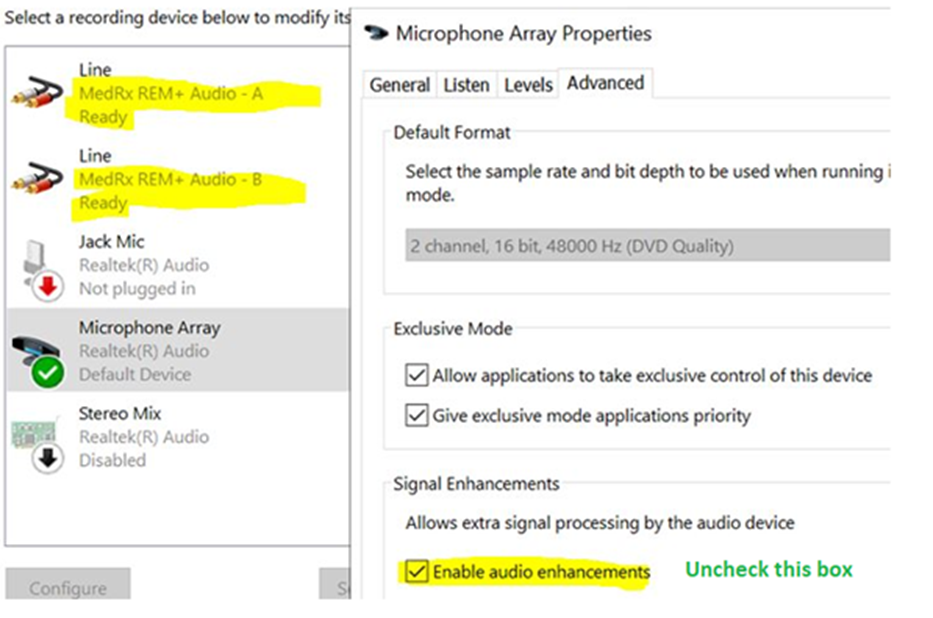
Navigate to the Advanced tab and uncheck “Enable Audio Enhancements”
