






How to disable allow the computer to turn off this device to save power
- Open Device Manager.
- Under Universal Serial Bus Controllers, Right click Intel USB 3.1 eXtensible Host Controller.
- Click Properties.
- Click Power Management.
- Uncheck Allow the computer to turn off this device to save power
- Click OK.
- Repeat steps 2-6 for the USB Root Hub (USB 3.0)
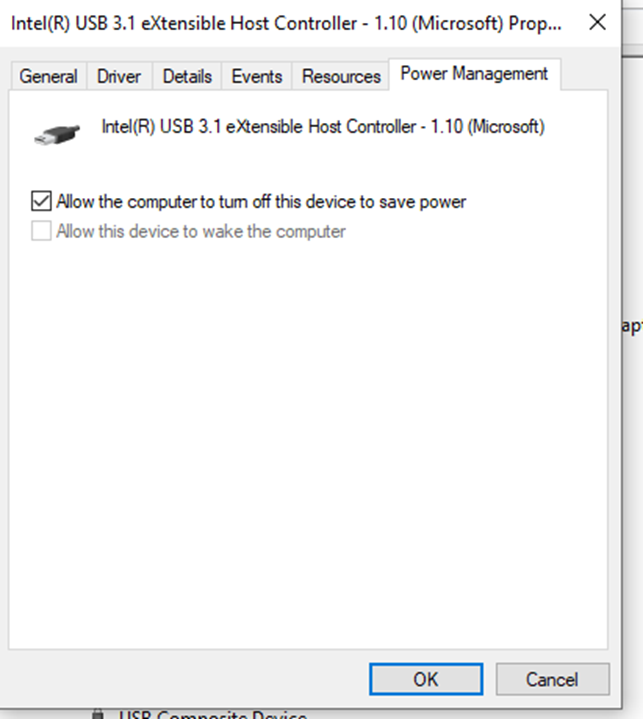
Uncheck this box
