






Compatibility Mode Errors
Many times new or upgraded computers will change settings to programs without the user knowing. This may occur and cause errors within the Avant software. Errors you can come across are pixaudio errors or auto leveling errors.
To resolve the compatibility mode error you will first use the windows compatibility troubleshooter and accepted the suggested changes.
If this does not solve the issues:
Right click the MedRx software icon and select properties

Select the compatibility tab and ensure that “Run this program I compatibility mode is NOT checked
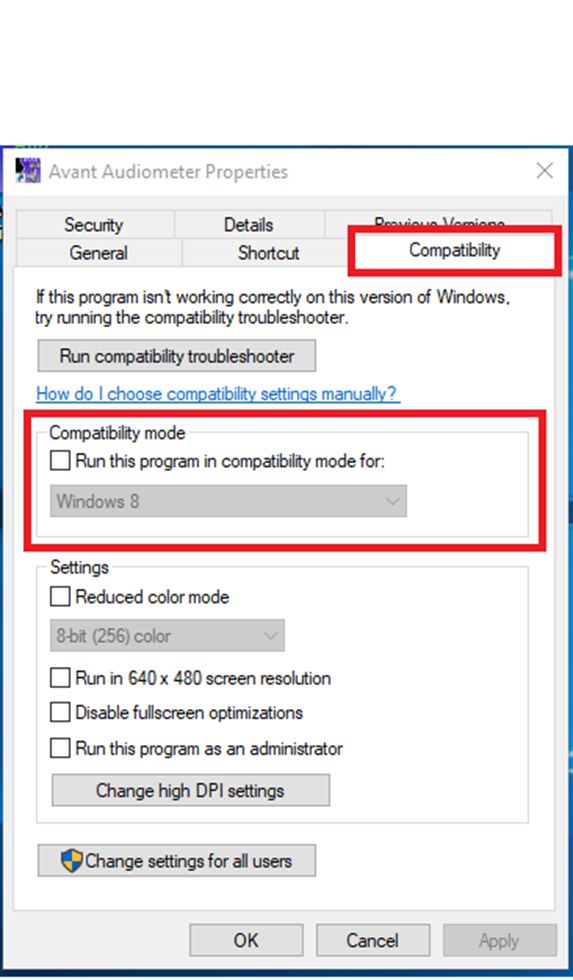
Repeat this step for all MedRx software as well as Noah
