






Drop USB Drivers and Reload
This task is routinely performed when the software is unable to recognize hardware or during errors such as Auto leveling, Pix Audio, and WASAPI errors. To complete the reloading of drivers, you should follow these instructions.
Search and open Device Manager in Windows. Go to Sound video and game controllers and find MedRx Device in the list and right click to Uninstall Device
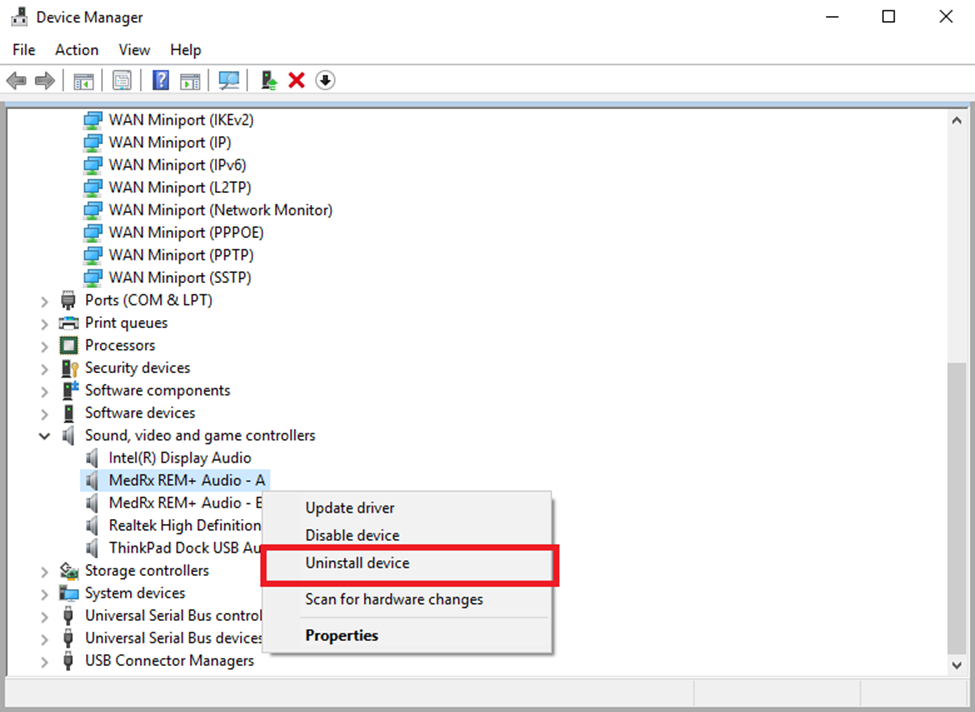
Complete for all MedRx Audio devices.
Next, select Action -> Scan for hardware changes
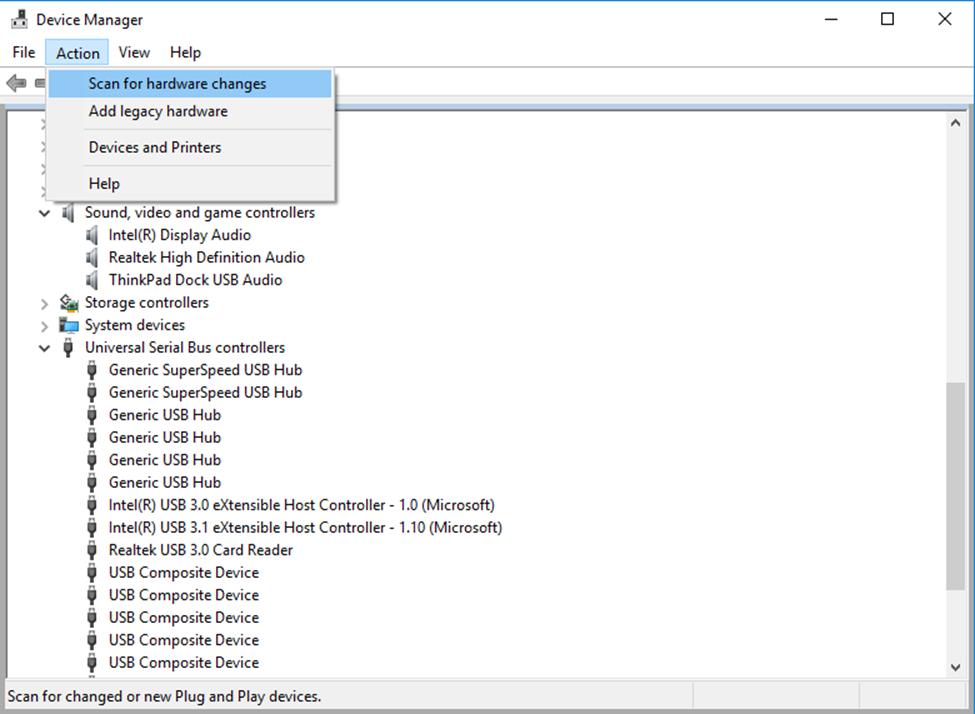
Afterwards, MedRx should reappear in the list for Sound, video and game controllers
