






Masking and Tones in Both Ears
This issue was resolved in Avant Software version 3.4, please verify your current version and update prior to troubleshooting.
If a customer is hearing masking in both ear try the following steps
Right click the speaker icon in the taskbar tray
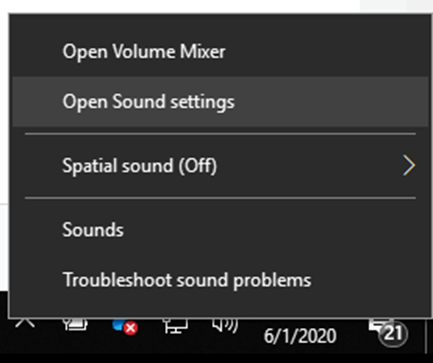
Select Open Sound settings
Select “Ease of Access audio settings”
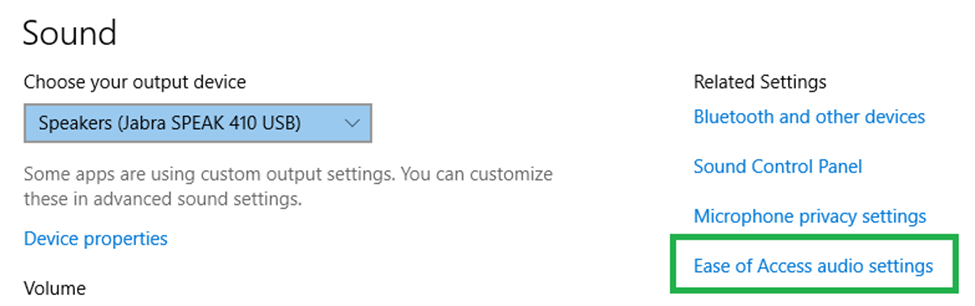
This can be found to the right of the settings or at the bottom.
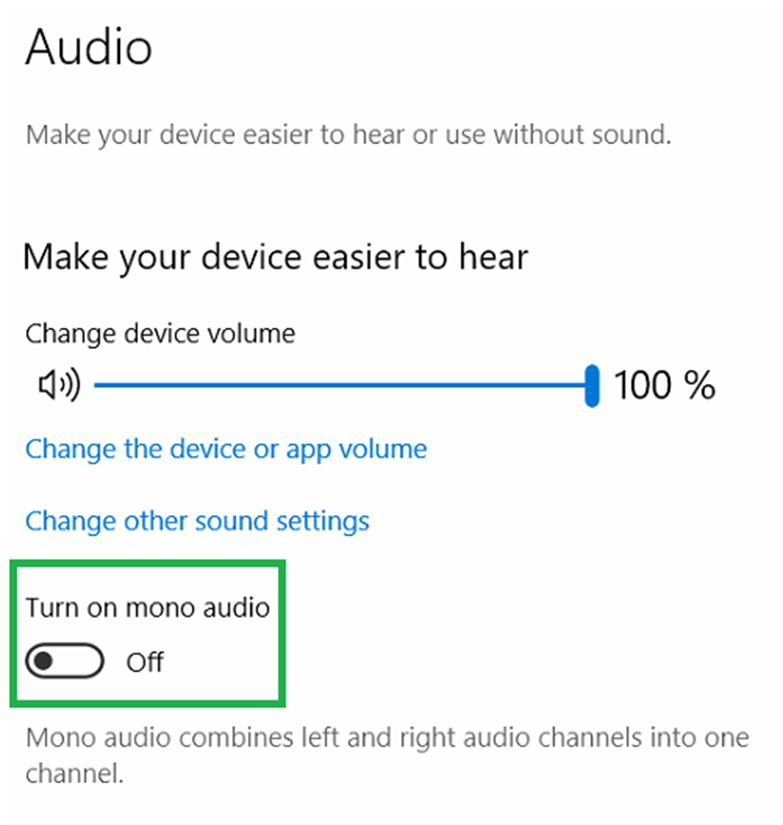
Turn off mono audio
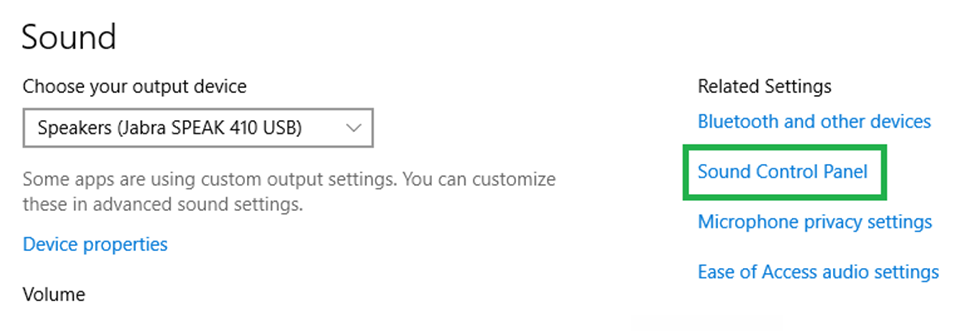
Go back to sound settings and select Sound Control Panel
In playback tab, Right click Avant A2D/Avant Stealth/Avant ARC depending on the model being used and click properties.
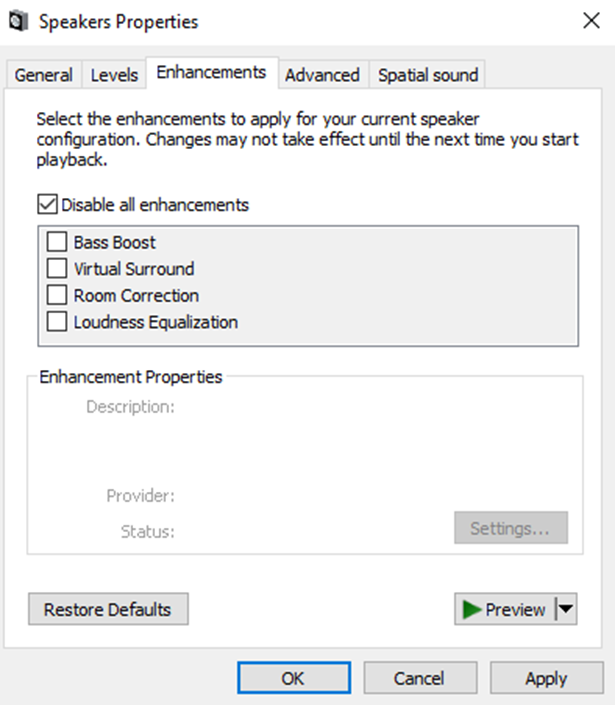
Navigate to Enhancements and Check Disable all enhancements
Go back to Avant AUD or MedRx Studio to check and see if everything is working properly.
