





Masking and Tone Playing in Opposite Ear
This issue was resolved in Avant Software version 3.4, please verify your current version and update prior to troubleshooting.
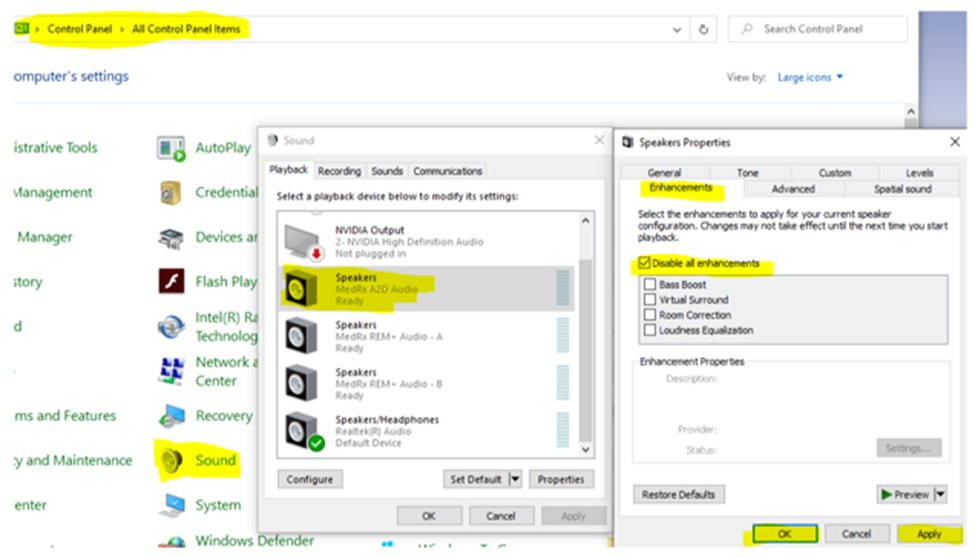
If you have masking and/or tones playing in the opposite ear, then you should adjust the computer settings by:
1)Open Control Panel
2)Open Sounds
3)Open A2D Audio Speaker
4)Select the Enhancement Tab and Check Disable all enhancements
5)Click on Apply then OK