






EasyTymp Setup for MedRx Studio Software
To use the EasyTymp, you need to send medrx@medrx-diagnostics.com the serial number so we can generate a license key. The serial number is found in the setup menu of the EasyTymp:
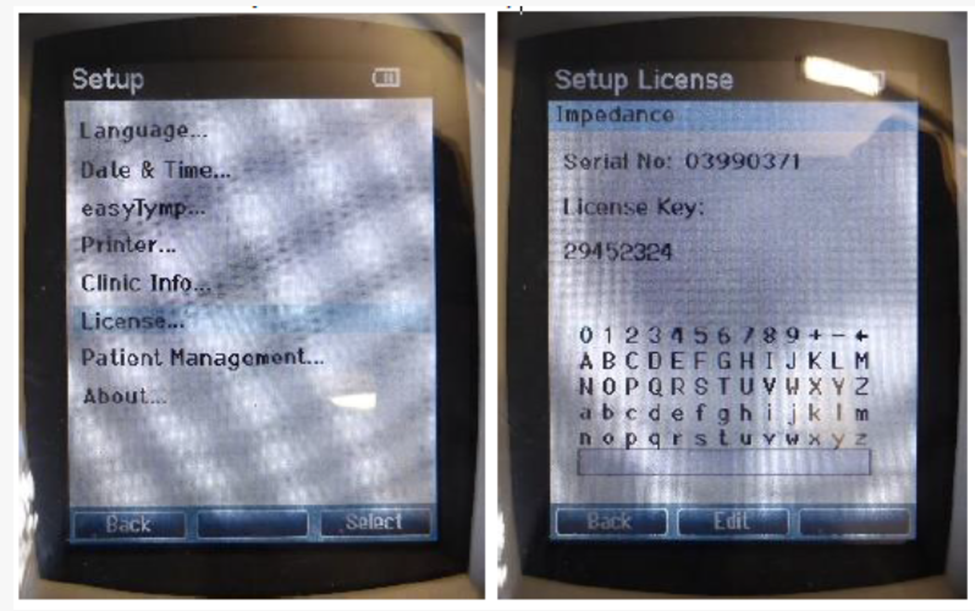
We will send back a USB or .Zip file. To load everything:
- Plug in the EasyTymp USB to the PC or Open the Zip File
- Run the setup file sent
- Load the EasyTymp Files (prompted in setup)
- Load the Driver (prompted in setup)
Once the above is complete, you will need to enter the Studio Impedance settings, select EasyTymp and restart the software.
To transfer EasyTymp Data
- Take the Tymps and Reflexes on the EasyTymp
- Navigate to the Impedance Module in Studio
- Plug the EasyTymp into the PC (via cradle or directly)
- Do not plug in the tymp until you are on the impedance screen of Studio
- Tymp will automatically transfer
