






Enable the ACT Test
The ACT test is a language independent speech in noise equivalent test. This test requires a hardware license in order to access the test. To check if your equipment is licensed, enter Studio with the audiometer plugged in. From the main screen which displays the module, Click the Settings wheel.

This will bring you to the Studio general settings. On the top of the settings click the License Tab and look under Active to see if the ACT license is present.
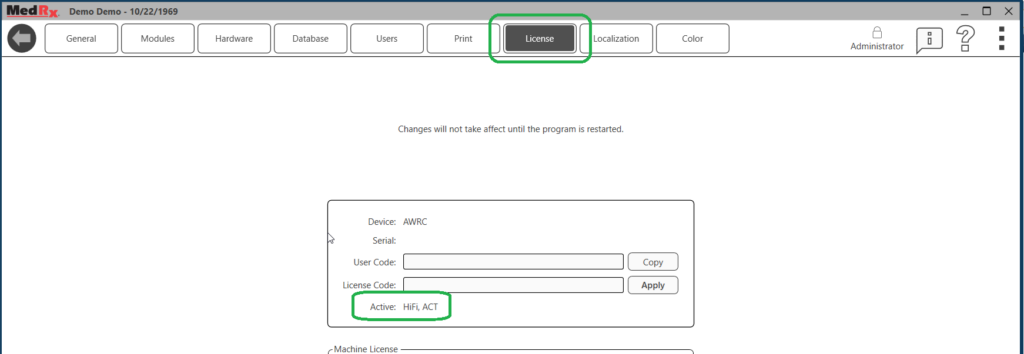
If an ACT license is not available, you will need to call your MedRx representative to purchase a license. You will need to provide your representative with the User Code in order to get a license. Please copy this code and send it with your license request.
Once you have an ACT license, go to the main module screen and enter the AUD module. Inside of the AUD module click the settings wheel in the upper right of the screen.
In settings, Navigate to General in the top tabs and Show Tests on the right.
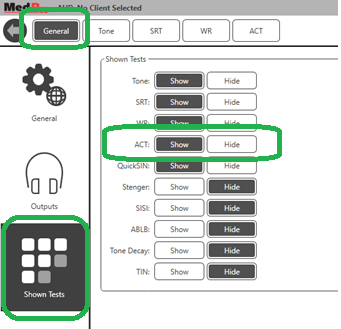
Here you will see available tests. Click “Show” on the ACT test to enable.
