






Enable Special Tests including the Tin Test
To enable special tests in Audiometry, start by entering Studio with your hardware connected. Go into the AUD module and clock on the settings button in the top right.

Select the General tab and Show Tests on the right hand side.
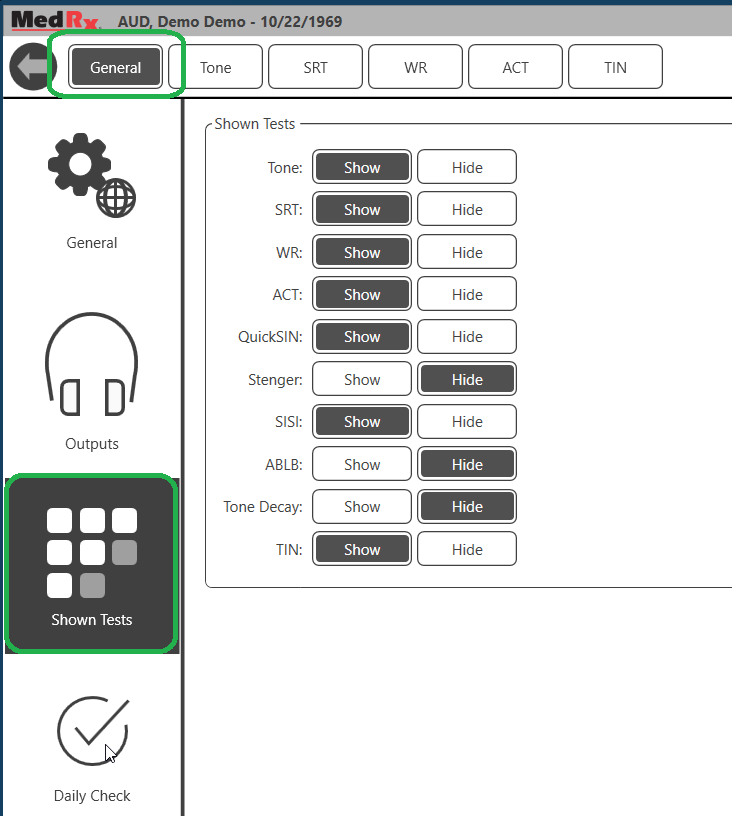
This is where you can choose the special tests that you would like available for your audiometer.
